432 Hz Converter
MultiEsoCon is a 432 Hz converter for changing the tuning reference of audio files and processing complete music folders in batch mode.
The program is intended for users who want to create alternative tuning versions of existing audio files without editing every track manually. It can process multiple files in one run and is useful when albums, playlists, or larger folder structures need to be converted with consistent settings.
Benefits of Using Our 432 Hz Converter MultiEsoCon
MultiEsoCon focuses on practical conversion tasks: batch processing, format handling, and a clear workflow.Users can change the tuning reference of their audio files to 432 Hz and compare the result with their original versions. The software is suitable for private music collections as well as for users who regularly prepare files for listening comparisons, production drafts, or alternative audio versions.
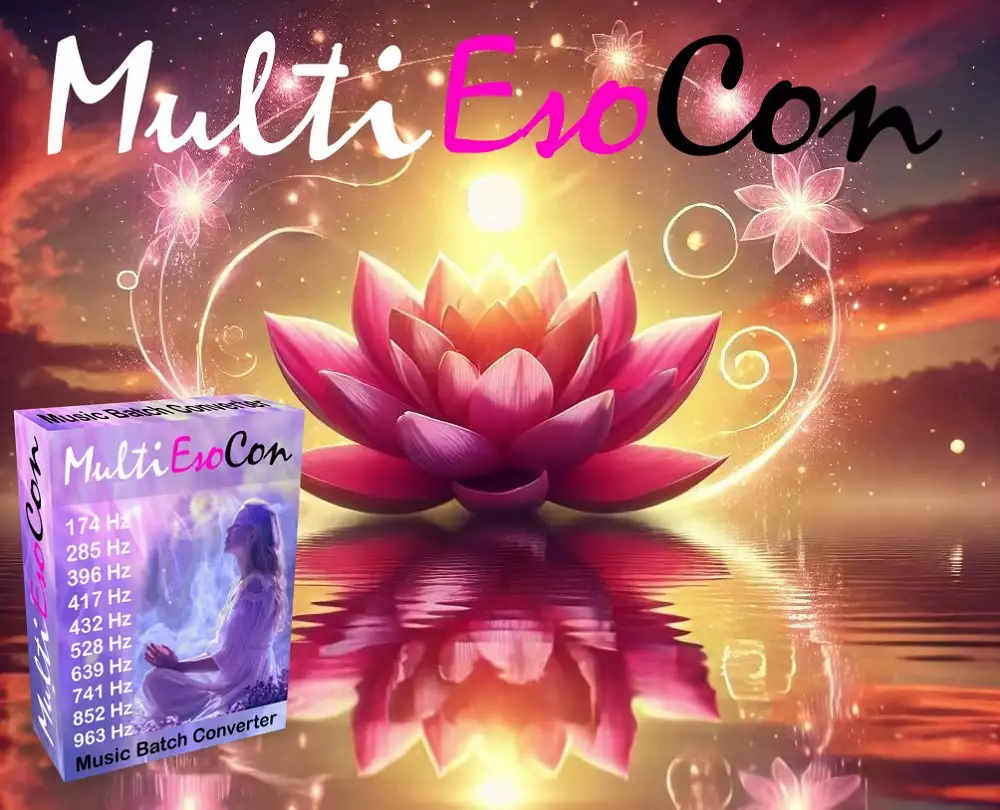 432 Hz Converter
Another benefit is the reduced manual effort. Instead of opening each track individually, users select the files or folders they want to process and apply the conversion settings once. This keeps the workflow manageable and makes the tool usable even for people who do not work with audio software every day.
The Work of Our 432 Hz Converter in Batch Mode
Batch mode is useful when many files have to be converted with the same settings.After the source files are selected, MultiEsoCon processes them as a group. This is helpful for music libraries, albums, or project folders where consistent output settings are required. The 432 Hz music converter supports common audio formats, so users can work with different file types without preparing each file separately beforehand.
Instructions for Converting with the 432 Hz Converter and Folders Including Subfolders in Batch Mode:
- Start the program by clicking on the "432 Hz Converter" icon on your computer.
- Once the 432 Hz converter is open, navigate to the "Batch Conversion" or "Folder Conversion" option from the main menu.
- Select the main folder you want to convert by clicking the "Browse" button and make certain the option to include subfolders is checked.
- Choose the desired output format for your converted files (e.g., MP3, WAV, FLAC) and confirm any other settings like the destination folder.
- Click "Start Conversion" to begin the batch process, and the 432 Hz converter will convert all files within the selected folder and subfolders.
- Once the process is complete, check the destination folder to find your newly converted 432 Hz audio files.
Difference in Sound After Using MultiEsoCon 432 Hz Converter
After conversion, the sound can be compared directly with the original version of the same track.A change from a 440 Hz reference to 432 Hz produces a slightly lower tuning. Depending on the recording and the listener's preference, this may be perceived as softer or less bright. The effect is best evaluated with familiar tracks and the same playback setup.
In practice, the converter is most useful when users want to create alternative versions of existing audio files without changing their listening library manually file by file. Batch mode keeps this process consistent across complete folders, while the original files can be kept separately.
Listening Character of 432 Hz Music
The interest in 432 Hz audio comes mainly from users who like to compare different tuning references. MultiEsoCon provides a way to create such versions from existing files. Its main value is in giving users control over how their audio collection is prepared, converted, and organized.The 10 Most Important Reasons to Use a 432 Hz Converter
- Alternative Tuning: 432 Hz offers a different reference point from the standard 440 Hz tuning and can be used for comparison versions.
- Controlled Listening Tests: Users can create converted copies and decide which version they prefer.
- Consistent File Processing: The same settings can be applied across multiple tracks, albums, or folders.
- Organized Output: Converted files can be stored in a selected destination folder for easier comparison and archiving.
- Creative Variation: Musicians and editors can use the converted files as alternative drafts during production or review.
- Genre Flexibility: The software can be used with different types of music rather than being limited to one style.
- Batch Conversion Efficiency: Entire music libraries can be processed in one run instead of track by track.
- Format Flexibility: A 432 Hz converter handles common audio formats such as MP3, WAV, FLAC, AAC, OGG, and AIFF.
- Free and Accessible: MultiEsoCon can be downloaded without subscription or purchase requirements.
- Repeatable Workflow: Once the desired settings are chosen, the same conversion process can be repeated for future folders.
MultiEsoCon 432 Hz Music Converter Converts Any Type of Audio
The MultiEsoCon 432 Hz music converter can work with many common audio formats. Users who store music in MP3, WAV, FLAC, AAC, AIFF, or OGG can process these files without first converting them into a single source format. This is useful when a collection contains tracks from different sources or older archives.The software can also process other audio material such as podcasts, soundscapes, audio lectures, and similar files. For these use cases, the practical advantage is consistent batch handling: the selected files can be converted with the same settings and placed in the chosen output folder. This keeps larger audio collections easier to manage.
MultiEsoCon is a Free 432 Hz Converter
MultiEsoCon is available as a free 432 Hz converter.Users can download the program and test the conversion workflow without a subscription or one-time purchase. This is useful for anyone who first wants to check whether a 432 Hz version of their files is worth keeping.
 432 Hz Converter
The free access does not change the core purpose of the program: it is designed to convert selected audio files, preserve a practical workflow, and make batch processing available without unnecessary steps. Users can decide file by file or folder by folder which material they want to convert.
Time to Convert a Track with a 432 Hz Music Converter
The processing time depends mainly on the file length, file size, selected output format, and the performance of the computer. A short track normally requires less time than a long recording or a full folder with many files. For larger collections, batch mode is the more practical option because users do not have to start each conversion separately. Precise pitch shifting becomes easier to manage when this related frequency conversion overview is used as background information for tuning references, while MultiEsoCon handles the actual file conversion. Batch conversion, output settings, and a repeatable workflow help users prepare music collections or experimental recordings with less manual work.In batch mode, an album, playlist, or selected folder can be processed in one run. This is useful when many tracks need the same output settings. The main advantage is workflow efficiency: users choose the source material, define the target format and destination, and let the converter process the selected files together.
Our 432 Hz Music Converter Works with Different Music Genres
The MultiEsoCon 432 Hz music converter can be used with different music genres.Classical music, jazz, rock, electronic music, ambient recordings, and world music can all be processed as audio files if the format is supported. The result should be assessed by listening to the converted copy next to the original track, because the perceived difference depends on the recording and the playback setup.
For acoustic recordings, a lower tuning reference may make the overall impression feel slightly different. For dense electronic productions, the difference may be less obvious and should be checked on speakers or headphones the listener knows well. Comparing versions is therefore more useful than relying on general descriptions of how a genre should sound after conversion.
This genre flexibility makes MultiEsoCon practical for users who do not keep their music in a single style or format. A mixed library can be processed with the same tool, while the user keeps control over source folders, output format, and destination folder.
432 Hz Converter with Precise Pitch Shifting for Audio Tuning
Changing the tuning reference of music requires pitch shifting that adjusts frequency values while keeping the duration of the track intact. A suitable conversion process avoids simple speed changes, because changing speed would also affect tempo and playback length. This is important when the converted file should remain comparable to the original recording.This 432 Hz converter background page about 432 Hz conversion applies this approach by adapting frequency values while keeping the original structure of the audio file usable for comparison. The focus is on tonal adjustment, not on changing the arrangement, rhythm, or intended sequence of the recording.
Such frequency conversion can support creative workflows because it allows producers, musicians, and sound editors to create alternative versions of existing files. The 432 Hz converter makes this process accessible without requiring manual pitch editing for every single track.
Batch Conversion of All Folders Including Subfolders with the 432 Hz Converter
One of the practical features of the MultiEsoCon 432 Hz music converter is its ability to process folders including subfolders. This is useful when music is already organized by artist, album, project, or source folder and should not be selected track by track.With the 432 Hz music converter, simply select a main folder, and the software automatically searches for and processes all audio files within that folder and its subfolders.
This function reduces repetitive manual work. It is suitable for users with large collections as well as for smaller project folders where several files belong together. DJs, sound engineers, and musicians can use this workflow when they need converted copies of many tracks while keeping the folder structure easier to manage. The main benefit is consistent processing with fewer individual steps.
Our 432 Hz converter MultiEsoCon Has High Sound Quality
Sound quality is important when converting audio files, and the MultiEsoCon 432 Hz music converter is designed to keep the converted files suitable for listening and comparison. The result depends on the source file, output format, and chosen settings, so users should select a format that matches their intended use.The converter shifts the tuning reference while preserving the practical structure of the track. This means the converted file can be played, compared, stored, or used in a project without manually rebuilding the audio. For users working with larger or less compressed source files, choosing a suitable output format is especially important because compression settings can affect the final listening result.
Audio Formats for Conversion with Our 432 Hz Converter
The MultiEsoCon 432 Hz converter supports a variety of audio formats, which makes it useful for mixed music collections and professional file archives. Users do not need to limit their work to one format before starting the conversion. This saves preparation time when files come from different sources or were created with different audio tools.Supported audio formats for the MultiEsoCon 432 Hz converter include:
This compatibility helps users keep their existing file organization. Whether the goal is private listening, file comparison, or preparation for an audio project, the converter can process the supported formats with a consistent workflow.
- MP3: A widely used audio format for everyday listening and easy sharing.
- WAV: A lossless format used in production and editing environments.
- FLAC: A lossless format that keeps audio data while reducing file size compared with WAV.
- AAC: A common format on many devices and platforms, often used for compressed audio files.
- OGG: An open-source audio format used for compressed audio.
- AIFF: An uncompressed format often used in professional audio workflows.
Overview of the Functions of the 432 Hz converter
| Function | Advantage |
|---|---|
| Batch Conversion | Convert entire folders including subfolders and reduce manual file selection. |
| Supports Multiple Audio Formats | Compatible with MP3, WAV, FLAC, OGG, AAC, AIFF, and more common audio formats. |
| Free to Use | No subscription or purchase is needed to test the conversion workflow. |
| Sound Conversion | Creates converted files that can be compared with the original versions. |
| User-Friendly Interface | A clear interface helps users select source files, output format, and destination folder. |
| Batch Processing Speed | Processes individual files or selected folders without starting each file separately. |
| Customizable Output Settings | Users choose output formats and destinations according to their workflow. |
Conclusion
The 432 Hz converter is a practical tool for users who want to create alternative tuning versions of their audio files. MultiEsoCon supports batch processing, folders with subfolders, several common audio formats, and user-defined output settings. This makes it useful for music collections, project folders, and comparison copies where the same conversion settings should be applied consistently. Instead of relying on broad claims about how 432 Hz should sound, users can convert selected files, compare the results with the originals, and keep the versions that fit their own listening or production workflow.
Note:
The perception of converted audio is subjective and depends on the source material, playback system, output format, and listener preference. MultiEsoCon provides a technical way to create 432 Hz versions of audio files; the final assessment should be made by comparing the converted files with the originals.
Our goal is to describe the function of the software clearly and avoid unsupported claims. Music preferences differ from person to person, so users should evaluate the converted files based on their own listening context.
The perception of converted audio is subjective and depends on the source material, playback system, output format, and listener preference. MultiEsoCon provides a technical way to create 432 Hz versions of audio files; the final assessment should be made by comparing the converted files with the originals.
Our goal is to describe the function of the software clearly and avoid unsupported claims. Music preferences differ from person to person, so users should evaluate the converted files based on their own listening context.